> For the complete documentation index, see [llms.txt](https://gallabox.gitbook.io/gallabox-docs/llms.txt). Markdown versions of documentation pages are available by appending `.md` to page URLs; this page is available as [Markdown](https://gallabox.gitbook.io/gallabox-docs/bots/bot-actions/update-company-fields.md).
# Update Company Fields
Easily update your customers' Company Name on our website. Add, replace, or remove Company Tags, Name, and more with just a few clicks. Click here to learn how to manage Fields in Gallabox.
> **Who can use this Card?**
>
> * Gallabox Users having permission to either build and deploy bots or manage bots.
> * Available on all paid plans.
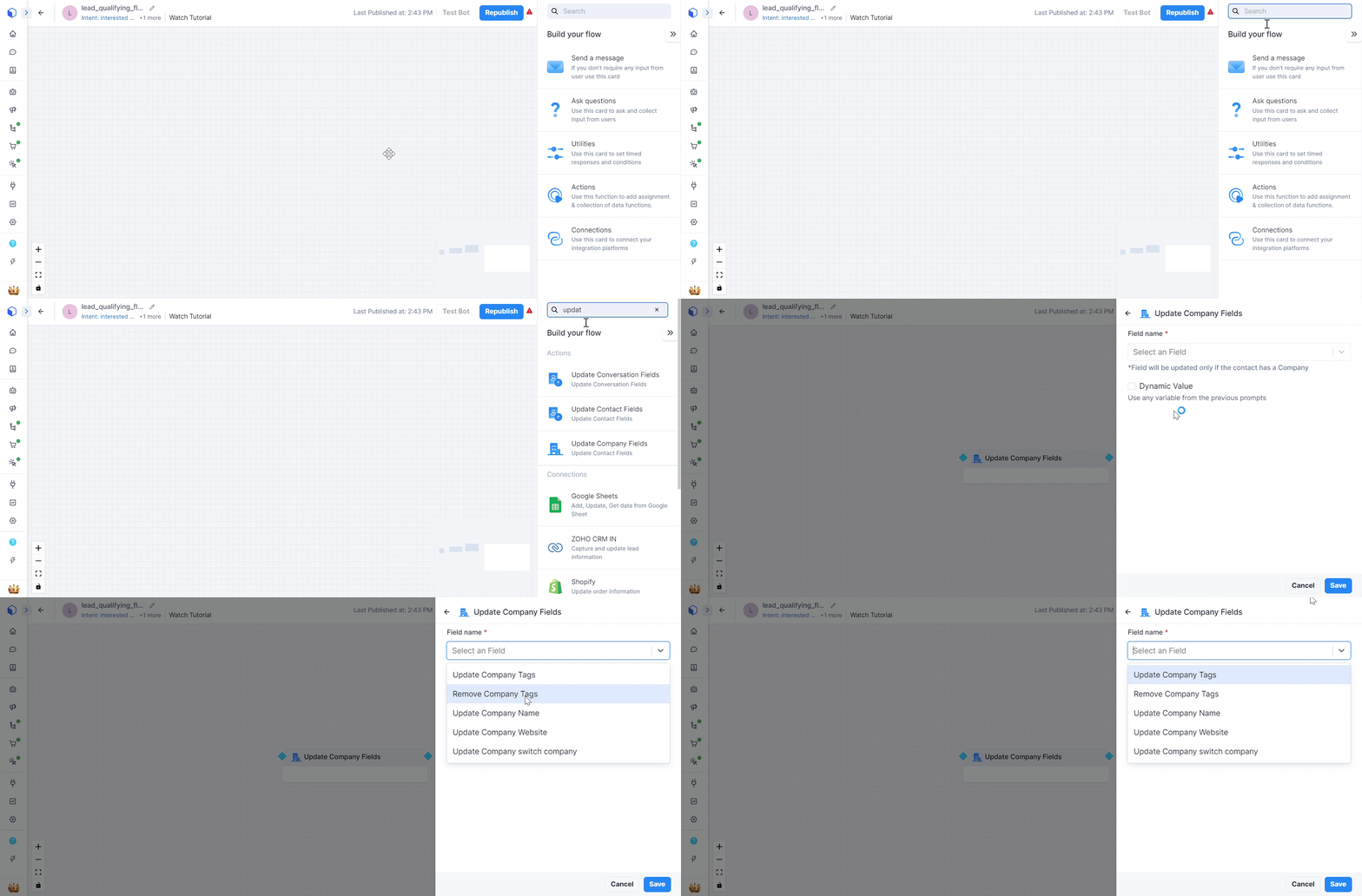
This card can be used to Update Company Name of your customers.
You can **update** the *Company Tags*, *name*, *website*, and switch the company name. Likewise, you can **remove** the *Company Tags*, and *Name*.
Update the Company Fields
Once you select the Field you want to update, you will have to add the value and the operation.
Company Fields
After choosing the field that you would like to update and the value for the field, you have to select the operation:
-> Choose **Replace**, if you want to replace the previous value of Company details with new ones.
-> Choose **Add if Empty**, to add the company details.
{% hint style="info" %}
To know more about how to create and update the Fields in Gallabox [click here](/gallabox-docs/basic-modules/contact-fields.md#create-a-company-field).
{% endhint %}