> For the complete documentation index, see [llms.txt](https://gallabox.gitbook.io/gallabox-docs/llms.txt). Markdown versions of documentation pages are available by appending `.md` to page URLs; this page is available as [Markdown](https://gallabox.gitbook.io/gallabox-docs/whatsapp-flows/receiving-response-of-whatsapp-forms.md).

# Receiving Response of WhatsApp Forms

Discover all your customers' feedback in one place with Gallabox. Easily access and manage responses under WhatsApp Flows in your account settings.

Gallabox will collect all the responses your customers have shared and list them under WhatsApp Flows.

### See the Flow Response

To see all the responses:

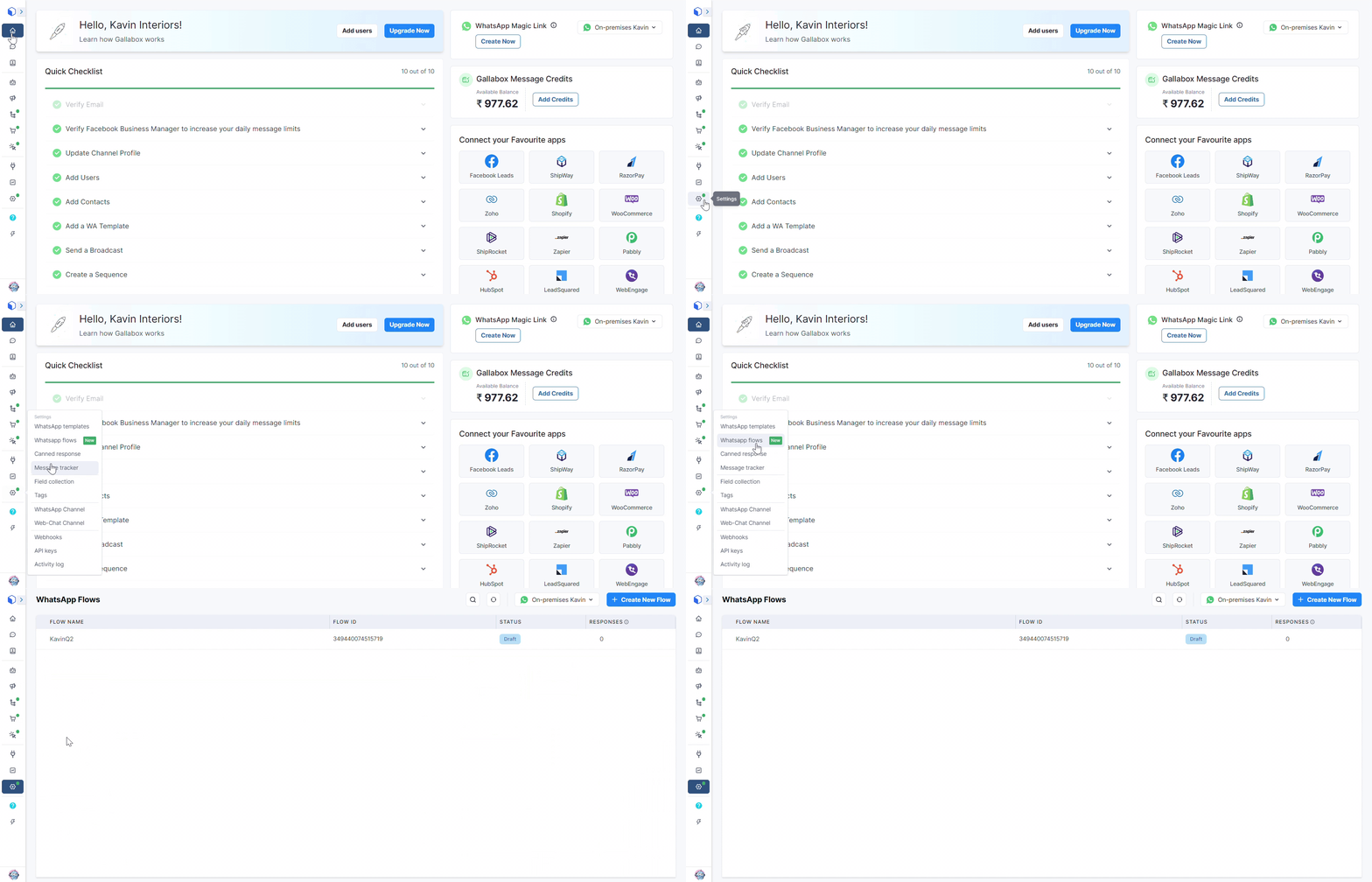
1. In your Gallabox Account, click on the settings in the navigation bar. Click on WhatsApp Flows.

<figure><img src="https://3137140735-files.gitbook.io/~/files/v0/b/gitbook-x-prod.appspot.com/o/spaces%2FZcl3T6ePz95GpzjAeOLW%2Fuploads%2FoDKv8Tbu11zXWI4Hb3Tc%2FWhatsApp%20Flows.gif?alt=media&amp;token=a8a51925-13ec-4e0b-8c5f-2e21c4c96d85" alt=""><figcaption></figcaption></figure>

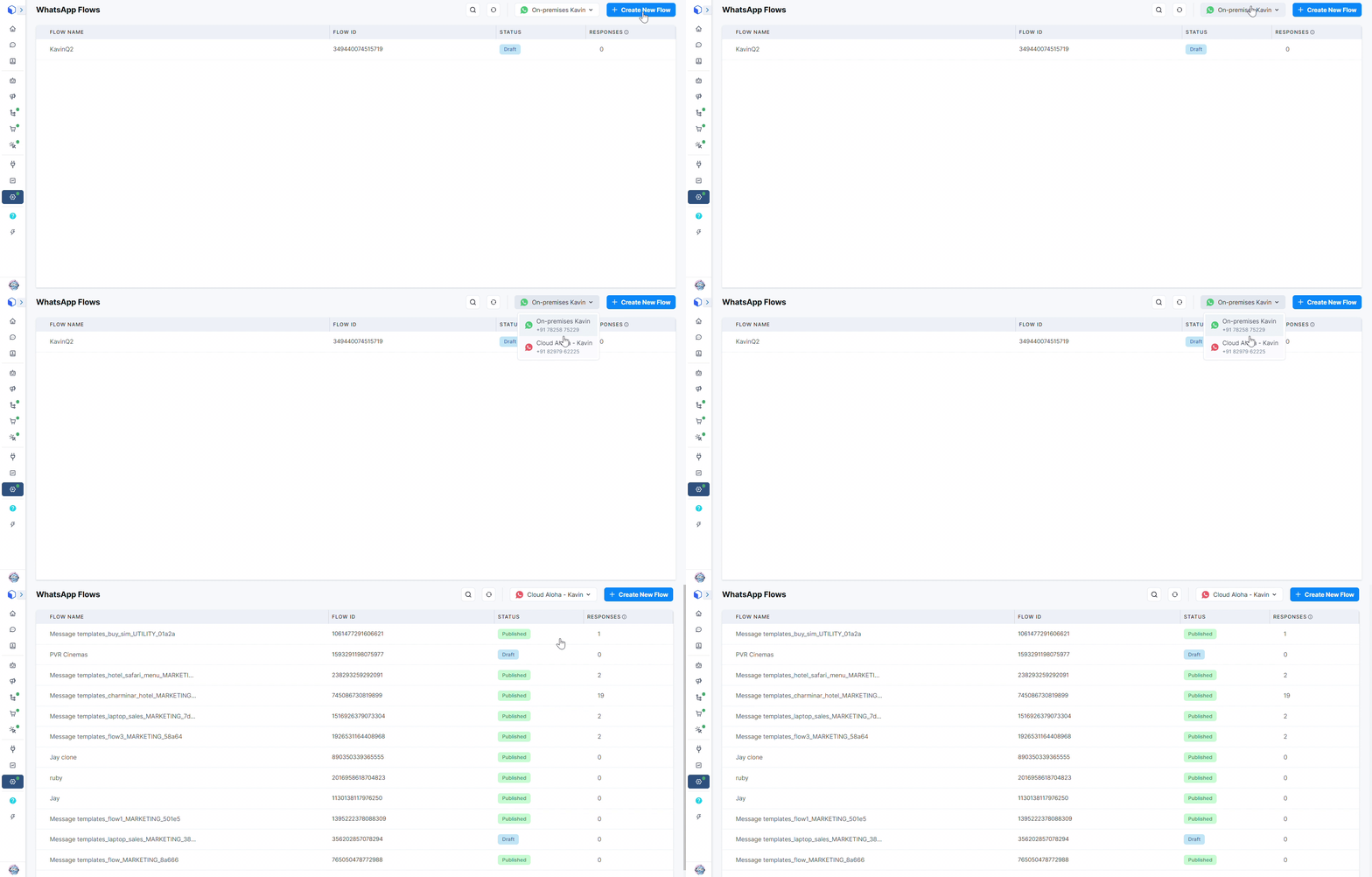
2. Switch to the channel through which Flow Message Templates were shared with your customers.

<figure><img src="https://3137140735-files.gitbook.io/~/files/v0/b/gitbook-x-prod.appspot.com/o/spaces%2FZcl3T6ePz95GpzjAeOLW%2Fuploads%2FNBnjGHqJc3eDcH0j03AH%2FChange%20Channel.gif?alt=media&amp;token=23170cb9-f216-4946-a7b1-76b122f080b9" alt=""><figcaption></figcaption></figure>

3. Click on the flow for which you would like to see the responses.

<figure><img src="https://3137140735-files.gitbook.io/~/files/v0/b/gitbook-x-prod.appspot.com/o/spaces%2FZcl3T6ePz95GpzjAeOLW%2Fuploads%2FoEwZCUIR9pn8qfbQiTnK%2FResponses%20for%20a%20WhatsApp%20flow.gif?alt=media&amp;token=c91dfb10-fa21-4b81-a51b-fab541bc3b4d" alt=""><figcaption></figcaption></figure>

4. You can change the column name and the column type (data types).

{% hint style="info" %}
Column Name and type for Contact Name, Phone Number, Flow Token, and Received at column cannot be changed.
{% endhint %}

<figure><img src="https://3137140735-files.gitbook.io/~/files/v0/b/gitbook-x-prod.appspot.com/o/spaces%2FZcl3T6ePz95GpzjAeOLW%2Fuploads%2FmJrcjCYhfaoHyUFm9gb3%2FChange%20column%20name%20and%20type.gif?alt=media&amp;token=686ad027-a390-48c6-b63b-52f2d60ed134" alt=""><figcaption></figcaption></figure>

5. If you would like to get the Raw response for every customer, click on <img src="https://3137140735-files.gitbook.io/~/files/v0/b/gitbook-x-prod.appspot.com/o/spaces%2FZcl3T6ePz95GpzjAeOLW%2Fuploads%2FEorMF7cqqBaXrgd9EmgQ%2Fmenu-removebg-preview.png?alt=media&amp;token=bf7b3589-8f21-4d82-aaca-ec9a88dc54a0" alt="" data-size="line">and click on View Raw Response.

<figure><img src="https://3137140735-files.gitbook.io/~/files/v0/b/gitbook-x-prod.appspot.com/o/spaces%2FZcl3T6ePz95GpzjAeOLW%2Fuploads%2FWBpwEttIO78ybSyoI5Bt%2FRaw%20response%20for%20WhatsApp%20Flow.gif?alt=media&amp;token=84921c4a-683d-4247-99bc-b0d01f1a981c" alt=""><figcaption></figcaption></figure>

### Edit the column for the Flow Response

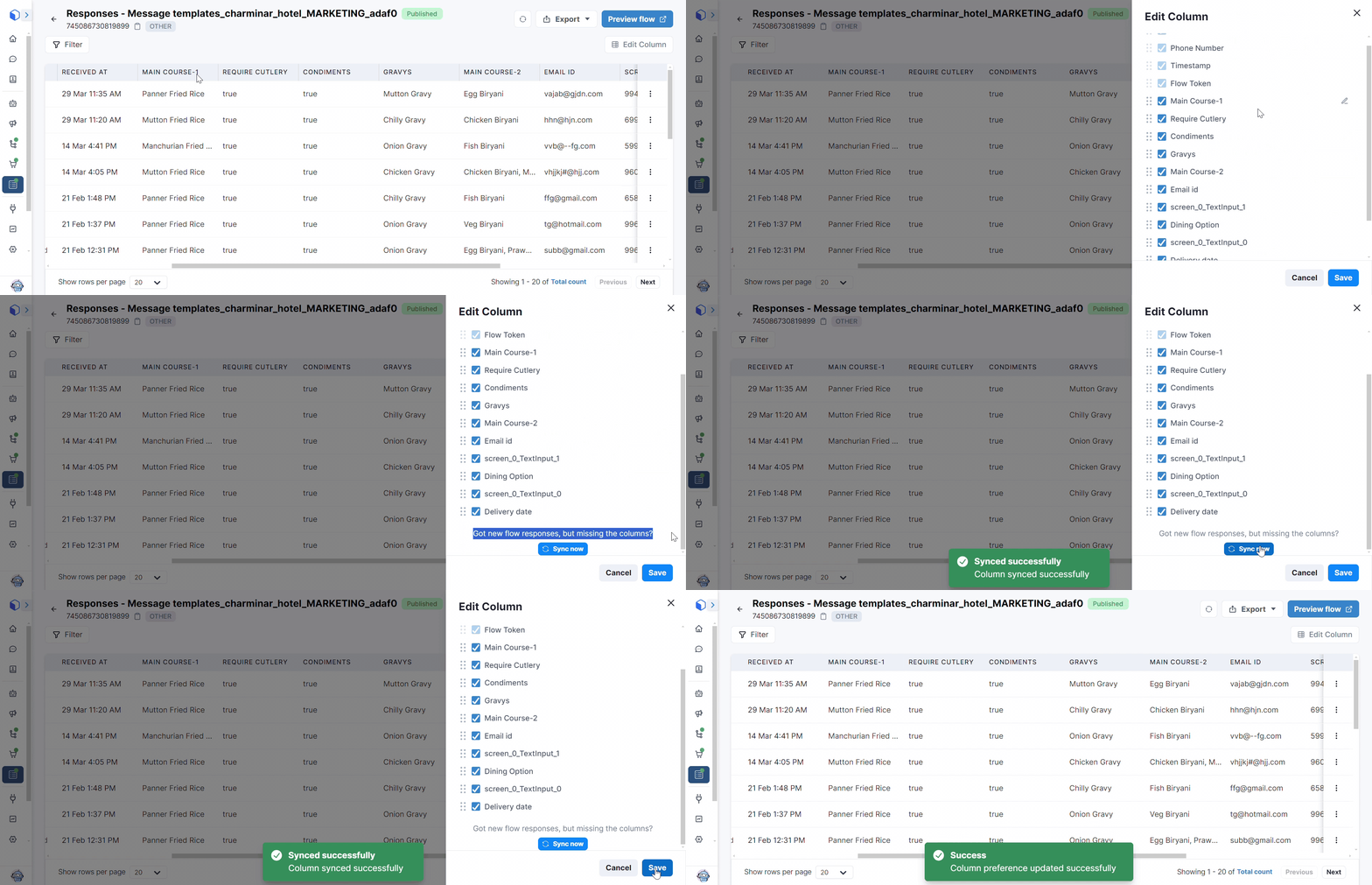
To add missing columns for new flow responses, choose "Edit Column" to sync the needed information.
<figure><img src="https://3137140735-files.gitbook.io/~/files/v0/b/gitbook-x-prod.appspot.com/o/spaces%2FZcl3T6ePz95GpzjAeOLW%2Fuploads%2FGQcapD5o2ZGEsOnosgqf%2FSync%20Column%20Preference.gif?alt=media&amp;token=92f92bc2-aad3-407f-ae57-18ba05309068" alt=""><figcaption></figcaption></figure>