> For the complete documentation index, see [llms.txt](https://gallabox.gitbook.io/gallabox-docs/llms.txt). Markdown versions of documentation pages are available by appending `.md` to page URLs; this page is available as [Markdown](https://gallabox.gitbook.io/gallabox-docs/whatsapp-shop/connect-catalogue-to-gallabox.md).

# Connect Catalog with Gallabox

Simplify your WhatsApp business operations by linking your Facebook Catalog with Gallabox. Showcase products in chats and facilitate easy order placement, enhancing the shopping experience.

### **Connect the Integration**

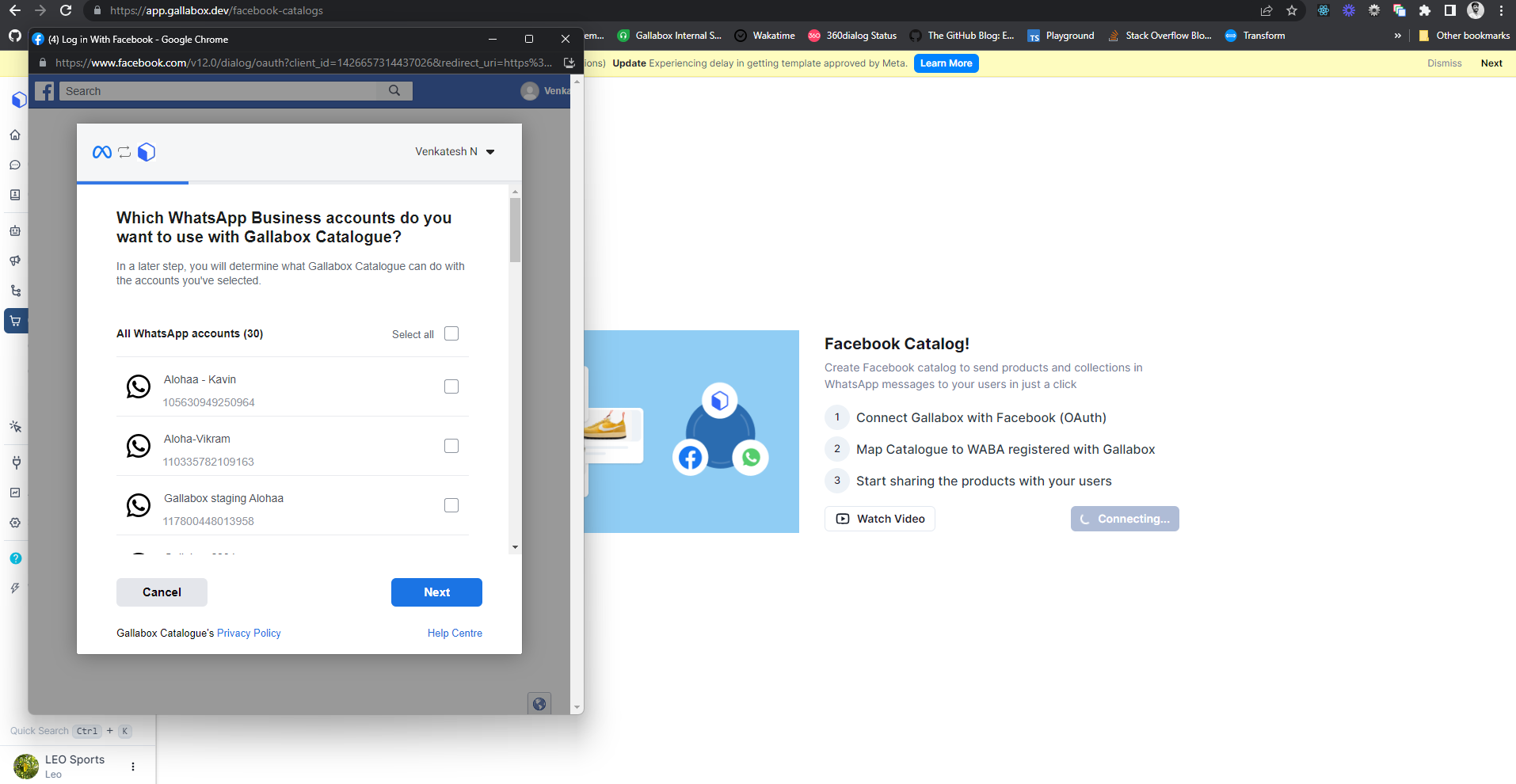
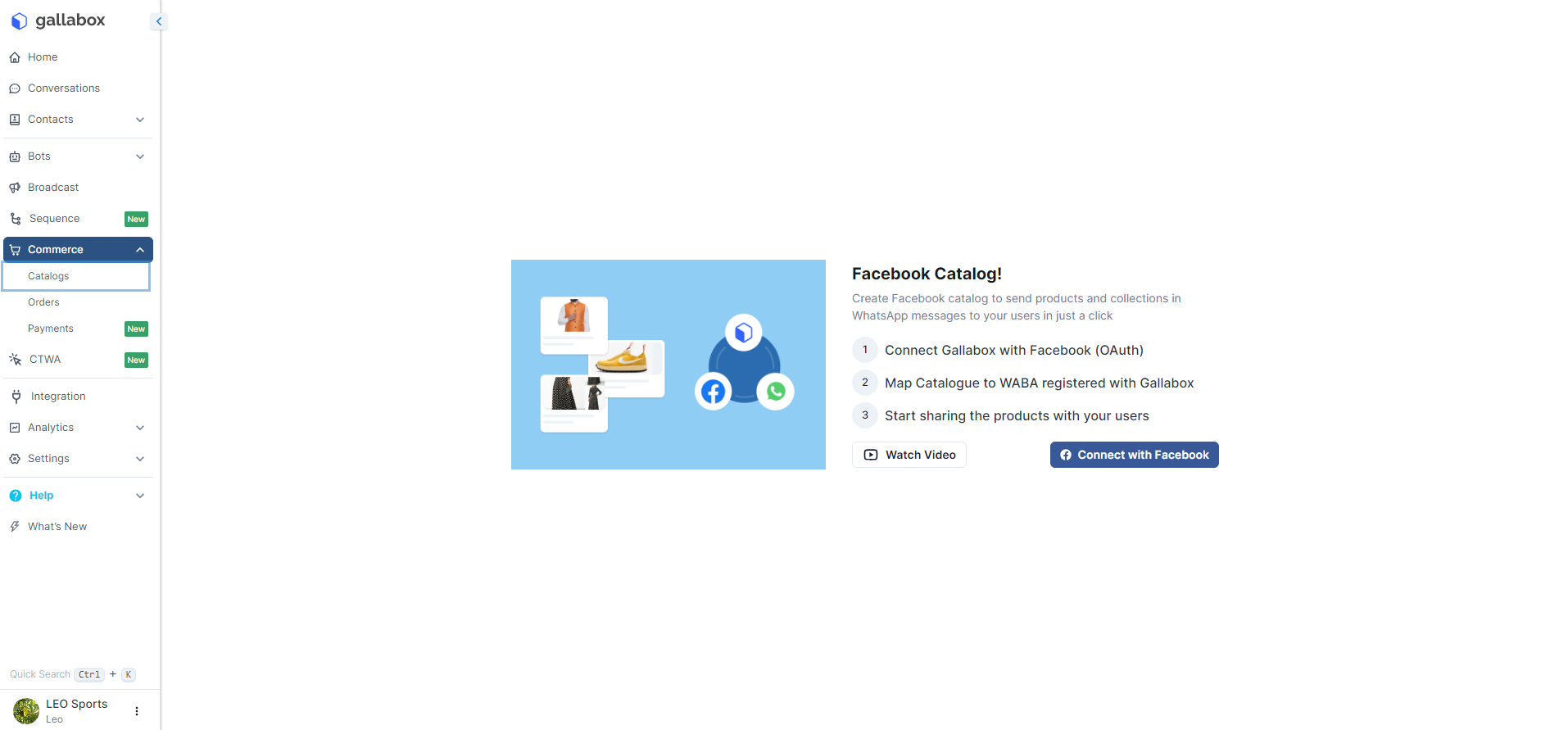
1. From the left navigation in Gallabox, click on Commerce. Click on Catalogues under Commerce.

<figure><img src="https://3137140735-files.gitbook.io/~/files/v0/b/gitbook-x-prod.appspot.com/o/spaces%2FZcl3T6ePz95GpzjAeOLW%2Fuploads%2FDOAmRMxsy4Ncf8ApQcfa%2FFb-catalogue%201.1.png?alt=media&amp;token=1c3c3e33-2cd0-4ad0-bf9e-36f6e1670a9b" alt=""><figcaption><p>Connect with Facebook</p></figcaption></figure>

2. A Facebook Pop-up will appear asking you to choose the **WhatsApp Business Account** you would like to use with **Catalogue**. Click on next.

<figure><img src="https://3137140735-files.gitbook.io/~/files/v0/b/gitbook-x-prod.appspot.com/o/spaces%2FZcl3T6ePz95GpzjAeOLW%2Fuploads%2FhsAy5UfnJGzQOVCWwvfn%2FFb-Catalogue%201.2.png?alt=media&amp;token=9e6c40fe-93d6-440e-ae93-3a011ec6938b" alt=""><figcaption><p>Choosing the WABA</p></figcaption></figure>

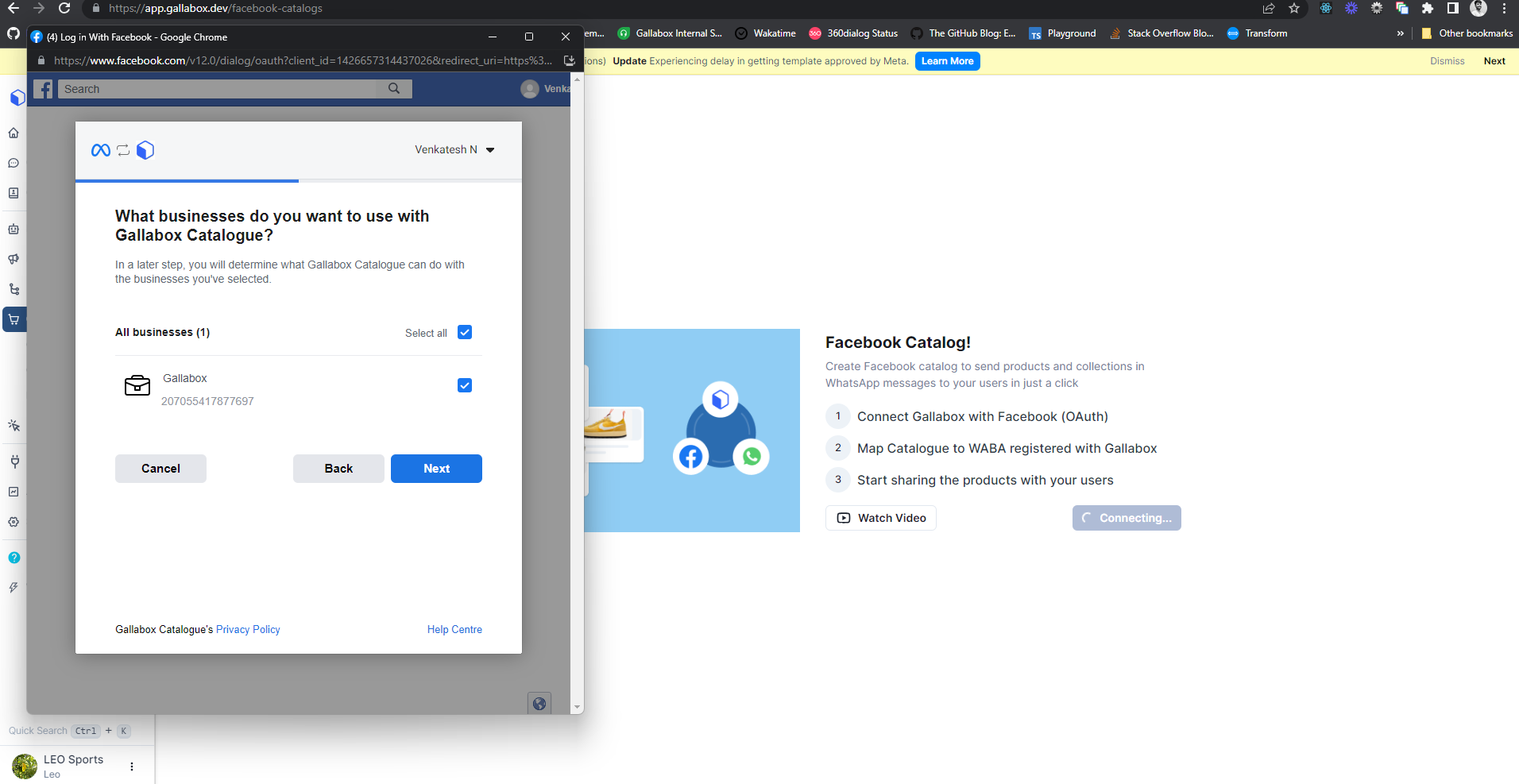
3. Provide the permission to Gallabox for Managing your **Facebook Business Manage**r.

<figure><img src="https://3137140735-files.gitbook.io/~/files/v0/b/gitbook-x-prod.appspot.com/o/spaces%2FZcl3T6ePz95GpzjAeOLW%2Fuploads%2Fa1RRwOVP3aRFbLPoiLoE%2FFb-Catalogue%201.3.png?alt=media&amp;token=2792b38c-5dc7-435b-9d7a-ef6ac33ed5b9" alt=""><figcaption><p>Permission for managing FBM</p></figcaption></figure>

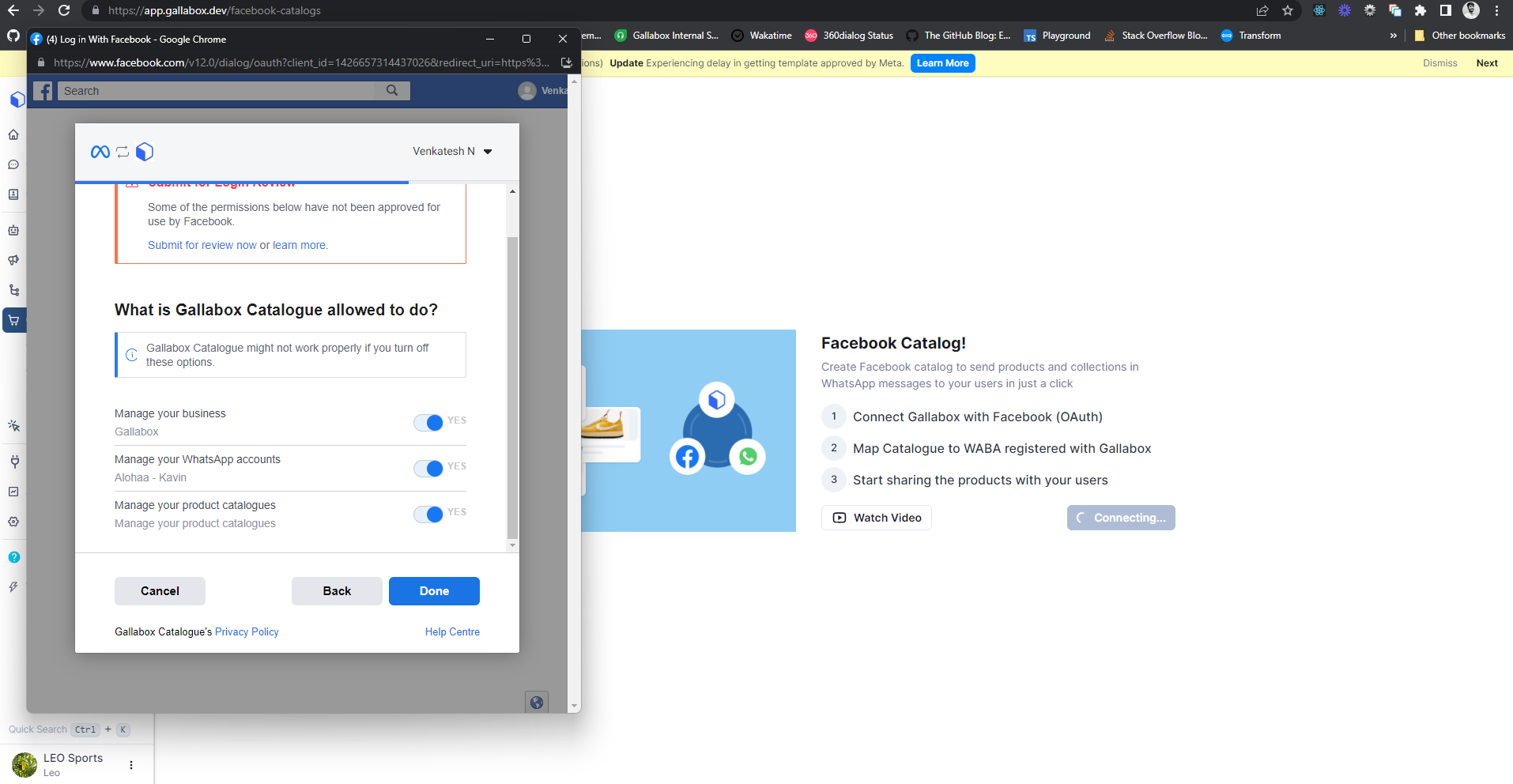
4. Provide the permission to Gallabox to Manage your Business, your Account, and your Product Catalogue. Click on **Done**.

{% hint style="info" %}
Make sure that you have all the permissions for Facebook Business Manager.
{% endhint %}

<figure><img src="https://3137140735-files.gitbook.io/~/files/v0/b/gitbook-x-prod.appspot.com/o/spaces%2FZcl3T6ePz95GpzjAeOLW%2Fuploads%2FiZi6crAqxvG9A465mnNi%2FFb-Catalogue%201.4.png?alt=media&amp;token=efd8a9f4-ec38-43f4-bcec-bc1a9beb48fe" alt=""><figcaption><p>Permission to Manage the catalogue</p></figcaption></figure>

Your **Facebook Catalogue** is connected to **Gallabox**.

<figure><img src="https://3137140735-files.gitbook.io/~/files/v0/b/gitbook-x-prod.appspot.com/o/spaces%2FZcl3T6ePz95GpzjAeOLW%2Fuploads%2F0afbBjbYnv5S0JgdJF0G%2FFb-Catalogue%201.5.png?alt=media&amp;token=4813a545-9e06-4feb-ad35-8920c6173d96" alt=""><figcaption><p>Successful Connection</p></figcaption></figure>

Easy, Right?

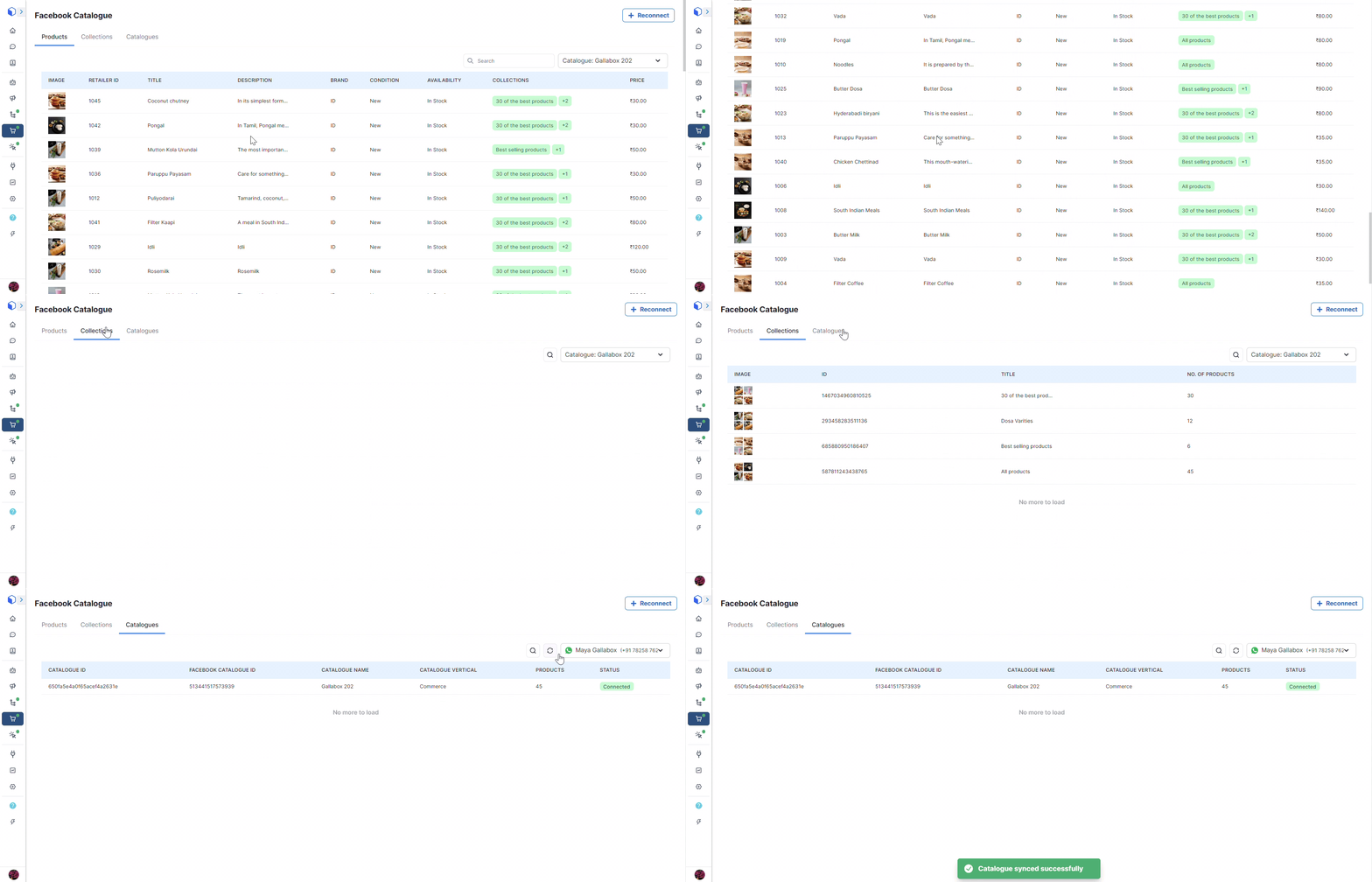
Once your catalog is connected with your Gallabox Account, you will be able to see all the products and the collections you have withing your Catalogue.

<figure><img src="https://3137140735-files.gitbook.io/~/files/v0/b/gitbook-x-prod.appspot.com/o/spaces%2FZcl3T6ePz95GpzjAeOLW%2Fuploads%2FflYGTkNCONcCuYwIDJb3%2FConnected%20Catalogue%20view.gif?alt=media&amp;token=ff869c2e-3e67-4c57-a050-856eb20370b2" alt=""><figcaption></figcaption></figure>

Dive into a world of endless possibilities. Engage with your customers by

<table data-card-size="large" data-view="cards"><thead><tr><th></th><th data-hidden></th><th data-hidden></th><th data-hidden data-card-target data-type="content-ref"></th></tr></thead><tbody><tr><td><mark style="color:purple;">Effortlessly recommending products during conversations</mark></td><td></td><td></td><td><a href="/gallabox-docs/conversations/compose-box.md#product-catalogue">Compose Box</a></td></tr><tr><td><mark style="color:purple;">Infusing your chatbot with automatic product suggestions</mark></td><td></td><td></td><td><a href="/gallabox-docs/bots/send-card/send-products.md">Send Products</a></td></tr><tr><td><mark style="color:purple;">Elevating your outreach with captivating Product Marketing Message Templates.</mark></td><td></td><td></td><td><a href="/gallabox-docs/basic-modules/whatsapp-template-guidelines/product-marketing-templates.md">Product Marketing Templates</a></td></tr><tr><td><mark style="color:purple;">Streamline your Shopify experience by effortlessly confirming Cash on Delivery (COD) orders.</mark></td><td></td><td></td><td><a href="/gallabox-docs/integration/e-commerce-platforms/shopify/workflows-for-shopify.md#shopify-cod-confirmation">Workflows for Shopify</a></td></tr><tr><td><a href="/gallabox-docs/whatsapp-channel/channel-settings.md#whatsapp-catalog-option"><mark style="color:purple;">Enable catalogue cart icon</mark></a></td><td></td><td></td><td></td></tr><tr><td><a href="/gallabox-docs/whatsapp-channel/channel-settings.md"><mark style="color:purple;">Enable catalogue shop icon</mark></a></td><td></td><td></td><td></td></tr></tbody></table>

The stage is set for personalized and dynamic interactions—making every conversation count! It's not just about connectivity; it's a dynamic journey of customer connection and marketing finesse!